👥01
Guest List Management
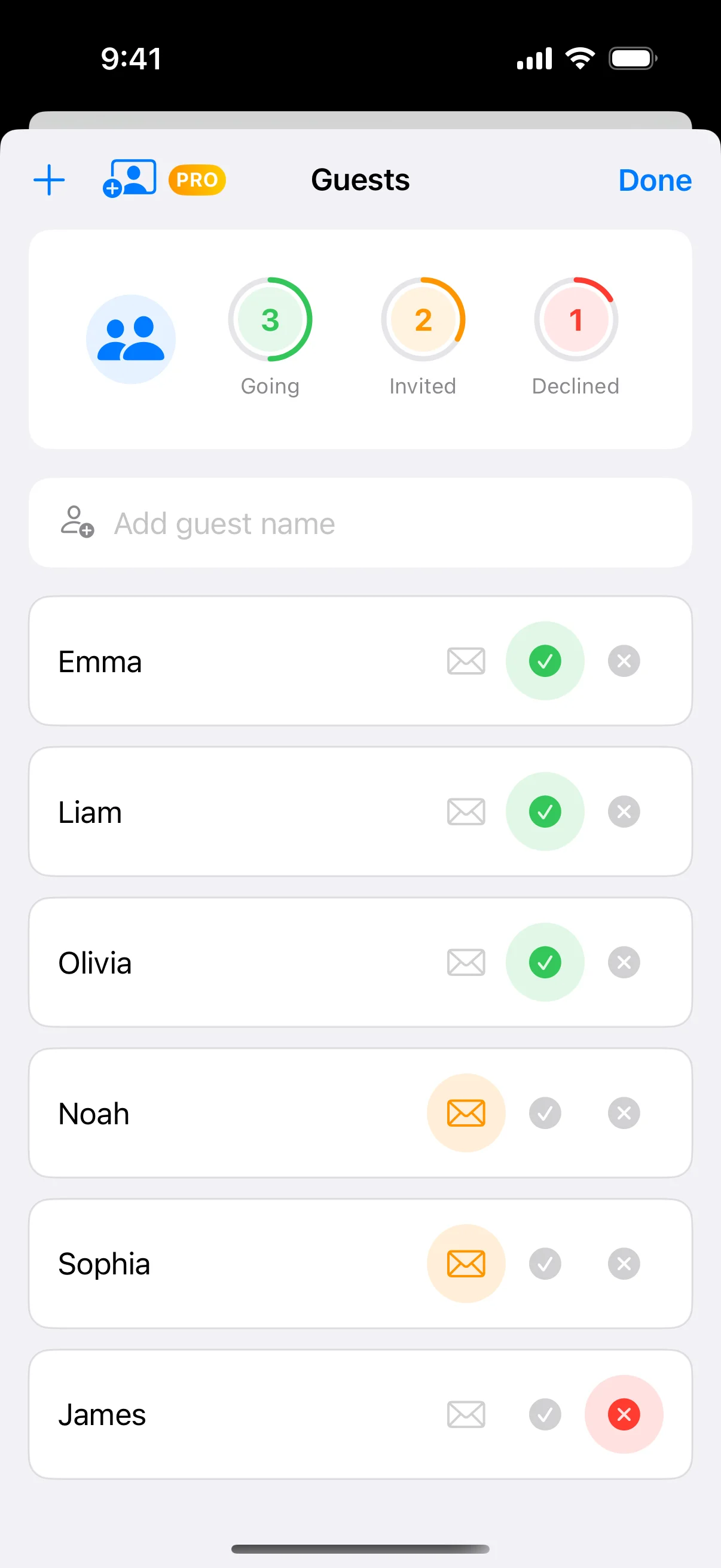
Track RSVPs, manage contact info, dietary requirements, and plus-ones. Keep your guest list organized and up-to-date.
Party planner · iPhone
Event Stories keeps the whole celebration in one place — guest lists and RSVPs, a budget that adds up, the schedule, your vendors, and a professional PDF to share when it all comes together.

Free on the App Store · No account required · Works offline
The suite
Plan, organize, and execute memorable events with powerful features
Track RSVPs, manage contact info, dietary requirements, and plus-ones. Keep your guest list organized and up-to-date.
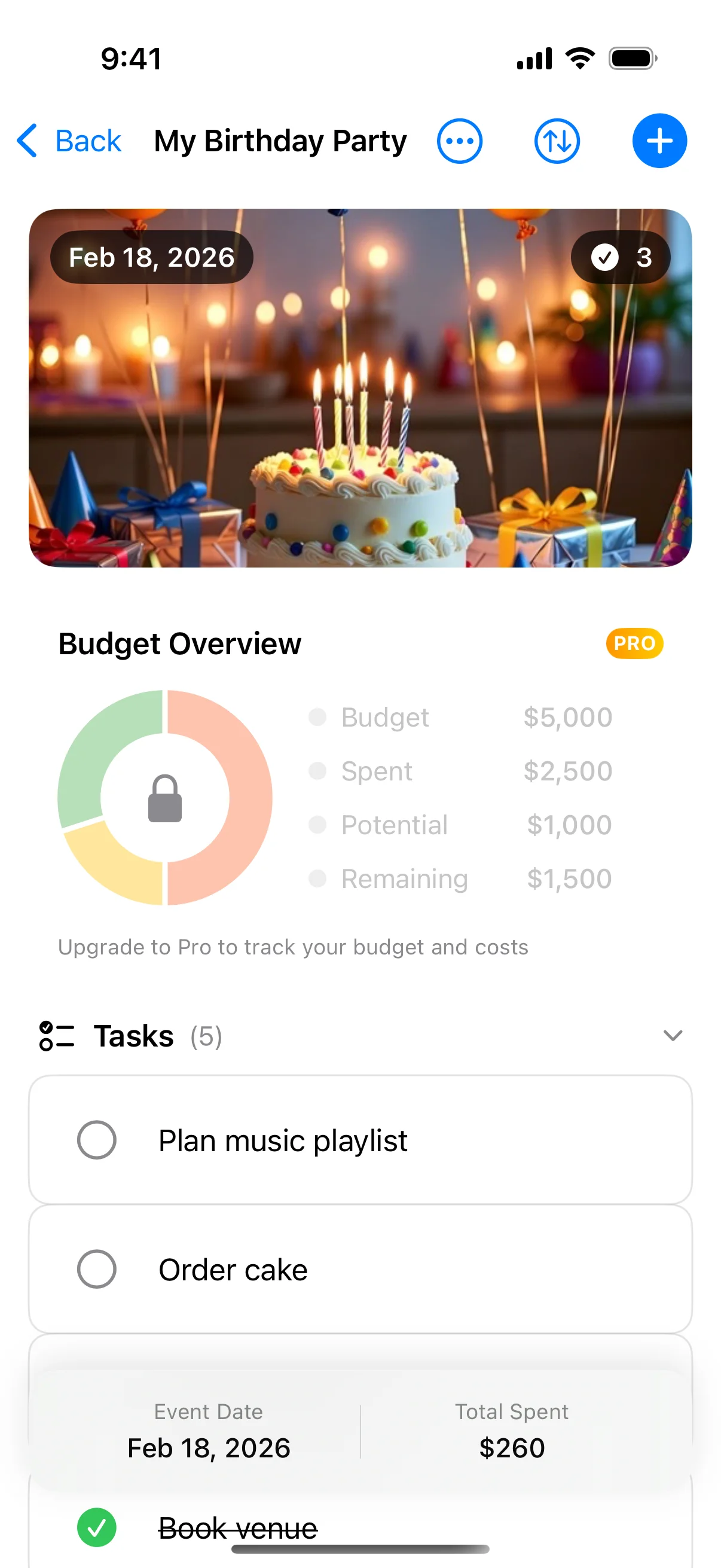
Visualize expenses by category, track payments to vendors, and stay on top of your event budget with clear charts.
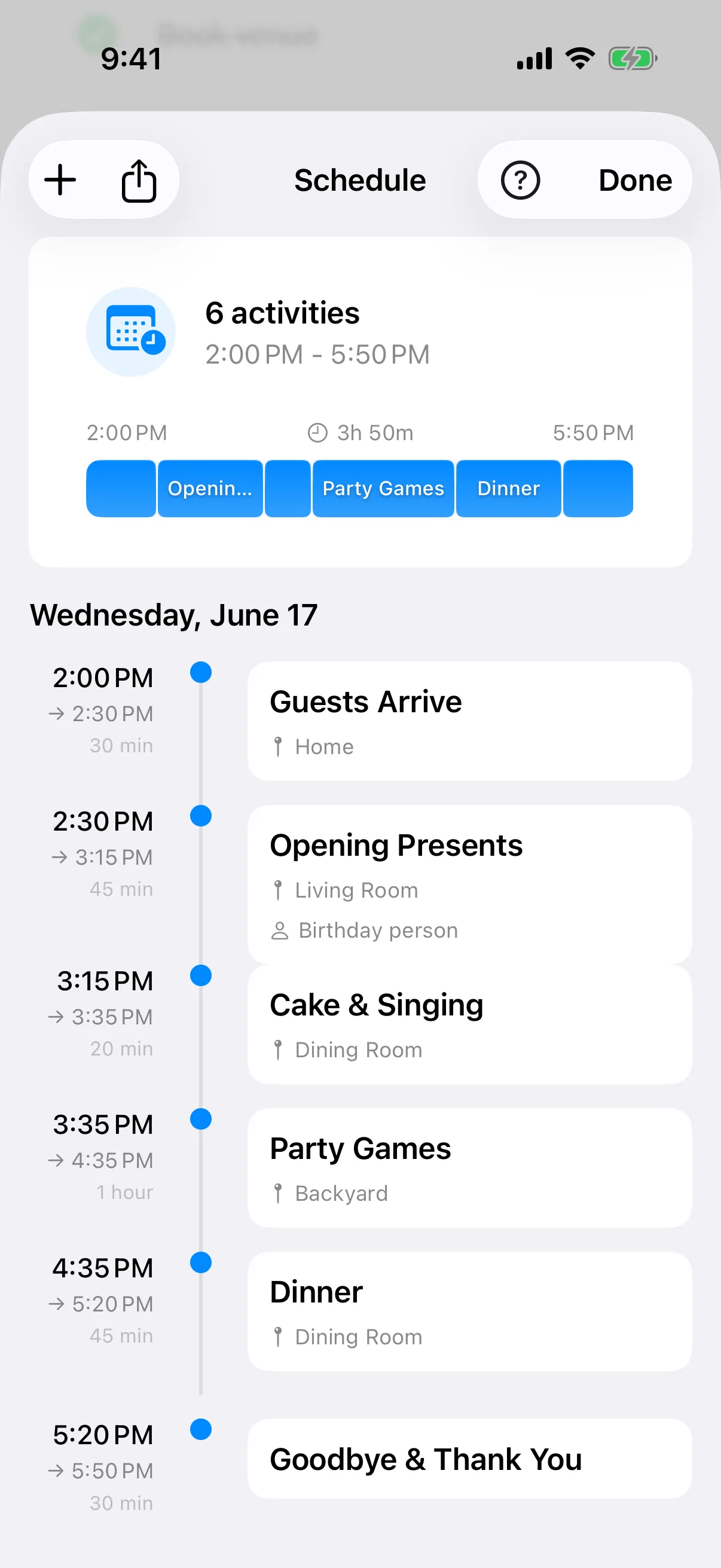
Build the run of show for the day with times, durations, and locations. Coordinate vendors and activities, then export to your calendar.
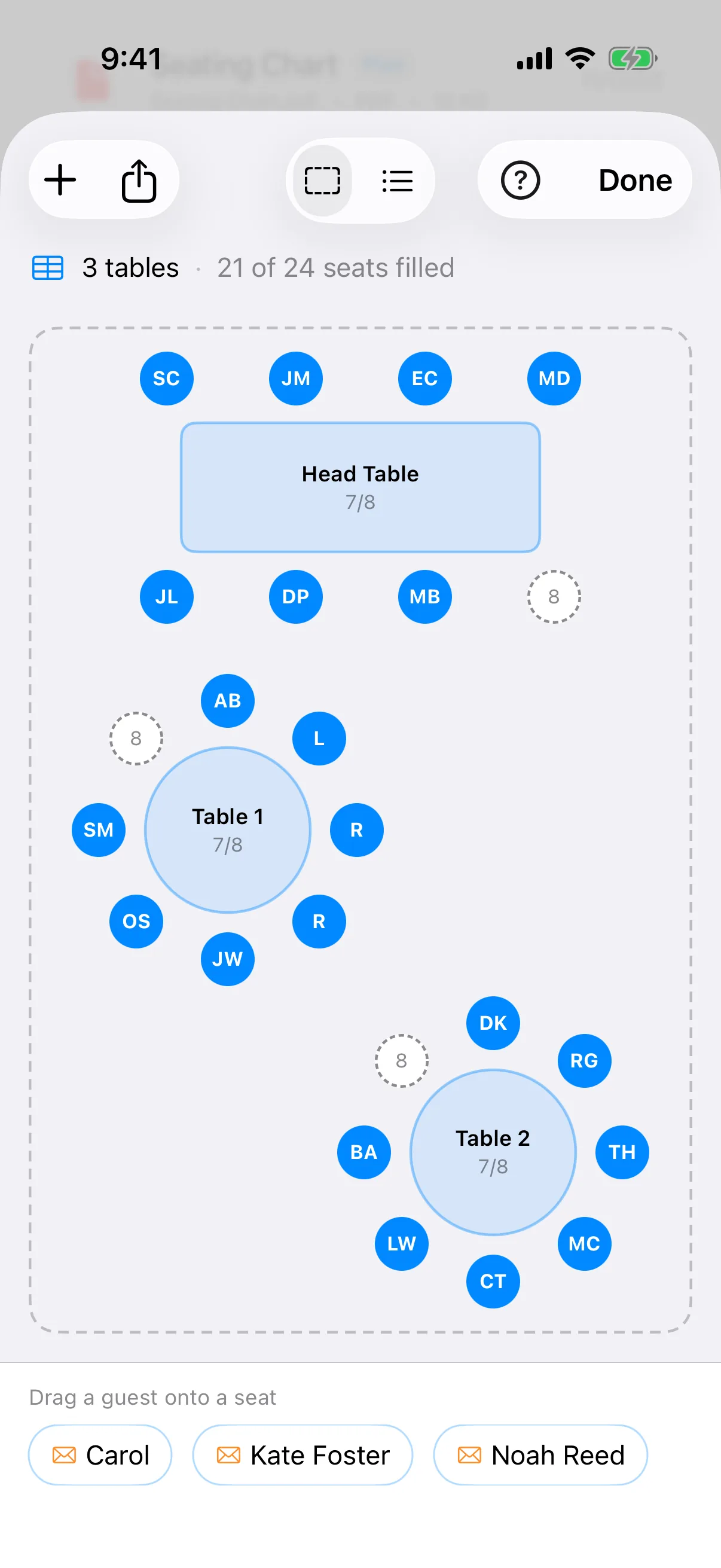
Arrange tables and drag guests to their seats. Balance the head table, track who's seated, and see every table fill up at a glance.
Keep every to-do in one checklist with due dates and reminders — from booking the venue to sending the save-the-dates.
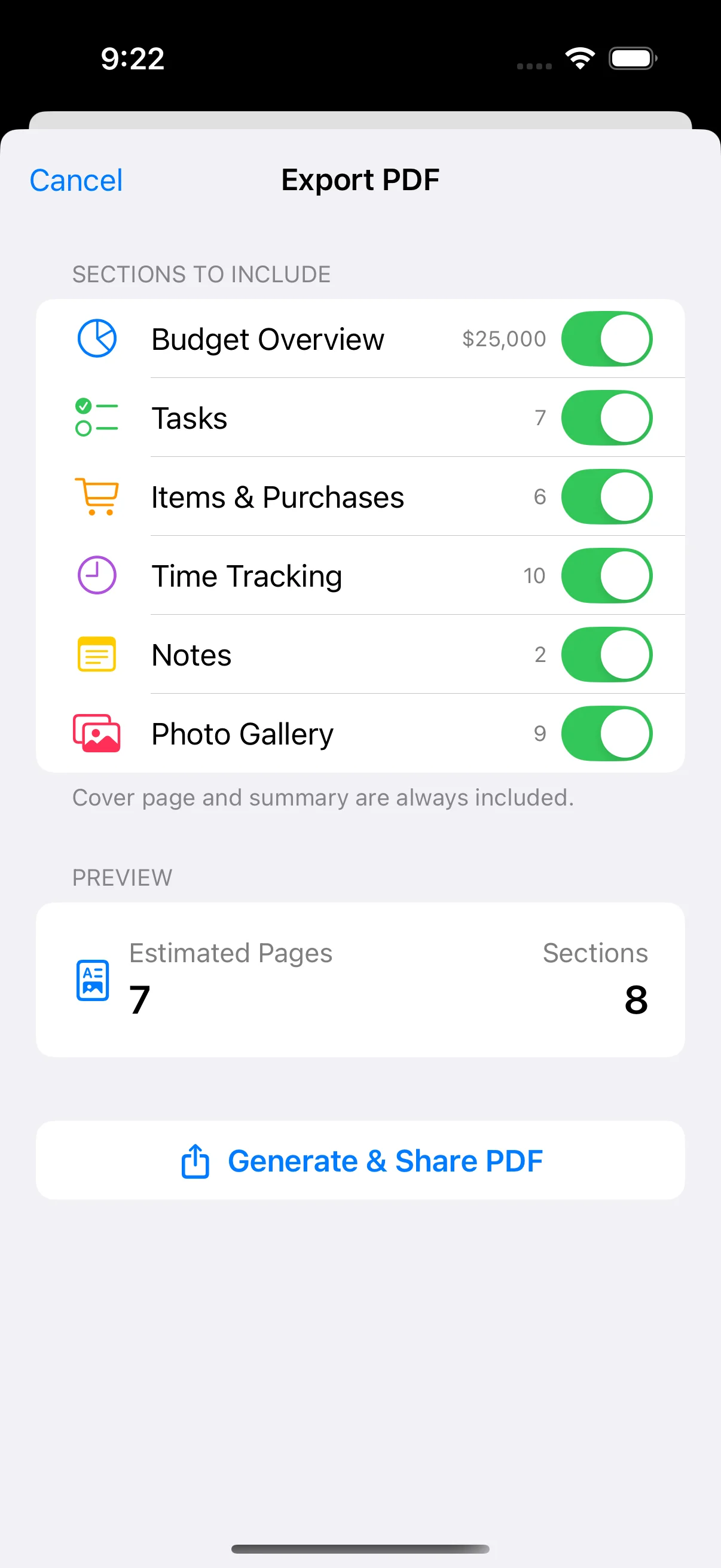
Generate professional reports with guest lists, budgets, vendor contacts, and schedules to share with your team.
On the guest list
Whatever you're celebrating, Event Stories keeps every detail in one place.
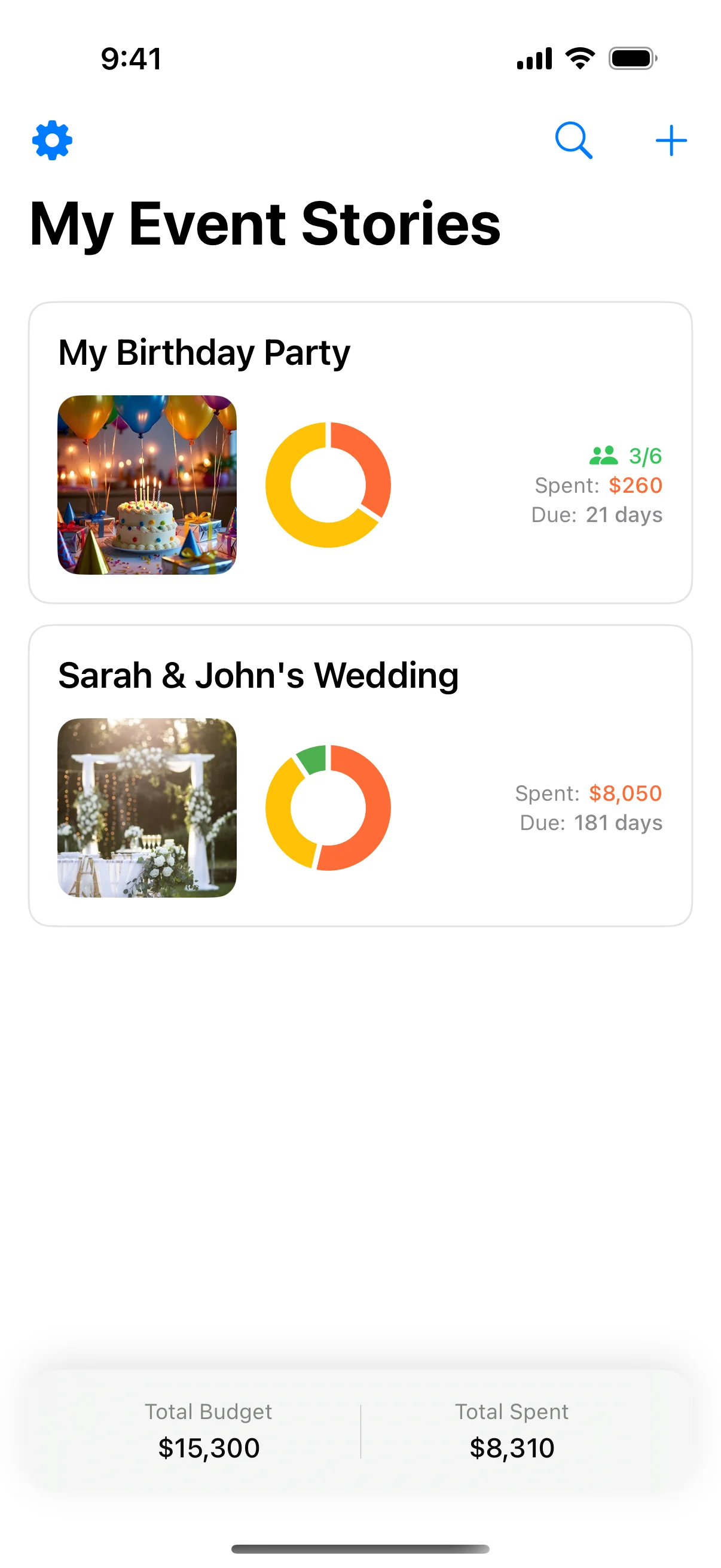
From the guest list and seating to the budget and vendor contacts, keep your big day organized down to the last detail.
Plan kids' parties or milestone birthdays with task lists, RSVPs, and a photo timeline of the celebration.
Coordinate attendees, schedules, and vendors, then export a professional PDF to share with clients and your team.
Track invites, gifts, and to-dos so you can focus on celebrating the new arrival.
Bring everyone together with a shared guest list, schedule, and a running budget you can keep an eye on.
Manage menus, guests, and tasks so hosting the holidays feels effortless instead of overwhelming.
Ready to plan your perfect event?
Download freeOrder of the day
Plan your perfect event from start to finish with Event Stories
Set up your event with date, budget, and details to get started planning your celebration.
Add guests, track RSVPs, manage dietary requirements, and organize seating arrangements.
Monitor spending with visual charts showing expenses by category and remaining budget at a glance.
Generate professional PDF reports with guest lists, budgets, and event details to share with your team.
A closer look
Take a tour through Event Stories, from your event dashboard to the finished PDF report.
Join event planners organizing memorable celebrations
Download freeThe guest book
Hear from hosts using Event Stories
Writing
Before you RSVP
Everything hosts ask before they start planning.
Yes, it's free! We also offer a Premium Lifetime upgrade with more advanced features for serious event planners.
Absolutely! Event Stories is designed to work fully offline so you can access your events, guest lists, and budgets even without internet access - perfect for venue visits.
Yes! With iCloud sync your events stay up to date across your devices. You can also export professional PDF reports to share with co-planners, vendors, or your event team.
Simply open your event, tap the export button, and choose PDF. Event Stories generates a professional report with your guest list, budget summary, vendor contacts, and schedule.
Event Stories is currently available for iPhone and requires iOS 17.0 or later. We're focused on delivering the best possible experience on iOS first.
Definitely. Weddings are one of the most popular uses - manage your guest list and RSVPs, plan seating, track the budget across categories, keep all your vendor contacts in one place, and build a timeline for the big day.
No account is required. Event Stories works right out of the box and fully offline. If you want your events to stay in sync across your devices, you can optionally enable iCloud sync using your existing Apple account.
Yes. Your events, guests, and budgets stay on your device and sync privately through your own iCloud account. We don't sell your data or use it for advertising.
All the core planning tools are free to use. Premium Lifetime is a one-time purchase - never a subscription - that unlocks advanced features for serious event planners.
The last detail
Your complete event planning companion. Manage guest lists, track budgets, coordinate schedules, and organize vendors. Available on the App Store.